The short answer
Plagino is a free plagiarism checker for students: the Free plan gives 3 scans a month with no card. Upload an essay or thesis chapter as a .docx and Plagino compares it with open-access academic papers indexed by CORE, then shows every run of eight or more identical words and its source.
What does this plagiarism checker for students compare your paper against?
It compares your paper with open-access academic literature: journal articles, theses, books and repository papers that are free to read and indexed by CORE, plus your own earlier Plagino scans. It does not search the open web, paywalled journals, other students' papers or Turnitin's private repository.
That pool was chosen for one job. Most student essays lean on papers from their own subject, and the common slip is a sentence lifted from a journal article during note-taking, then pasted into a draft without quotation marks. An academic source check searches the literature your paper is about, not the whole internet.
Open-access academic papers via CORE
CORE (Connecting Repositories) is a not-for-profit open access aggregator run by the Knowledge Media Institute at The Open University in the UK. CORE describes itself as, to its knowledge, the world's largest collection of full-text open access research papers. As of November 2025, Wikipedia's entry on CORE) lists 431 million metadata records, about 323 million with free-to-read full-text links.
Plagino uses CORE in two stages. First, it picks distinctive terms from across your paper, such as specialist words and names, and searches CORE for papers on your topic. Then it downloads the full text of up to 100 of the most likely candidate papers and compares your writing with them word by word on its own servers. A match is only reported when Plagino can confirm it against a paper's full text, so every highlighted passage comes with the exact words that appear in both.
Your own earlier scans
Plagino keeps irreversible fingerprints of the documents you scan, so a later scan on your account is checked against your earlier ones. This only ever compares your work with your own previous uploads. It never compares your paper with anyone else's.
What does the free plan include?
The Free plan includes 3 scans a month with no card, and each scan runs the full plagiarism check and the AI-writing check together. The report is the same sentence-level report Pro users get; the paid plan buys more scans, not a better check.
| Plan | Price | Scans | Extras |
|---|---|---|---|
| Free | $0, no card | 3 per month | Same sentence-level report as Pro |
| Pro | $19 per month | 20 per day | Priority queue, email support |
| Team | Custom | By agreement | Multi-user accounts and shared scan history for departments and writing centres |
For most students, three scans a month covers the final check on each major assignment. If you are revising a thesis on a deadline and want to rescan chapters several times a day, Pro's 20 scans a day is the point at which paying makes sense. Full plan details are on the pricing page.
How do you check an essay or thesis for plagiarism online?
You upload a Word file, start the scan and read a PDF report, and the whole check usually finishes within a couple of minutes. Plagino accepts .docx files up to 10 MB; it does not take pasted text, PDFs or other formats.
- 1
Save your paper as .docx. If you write in Google Docs, use File, Download, Microsoft Word (.docx).
- 2
Upload and start the scan. Create a free account, drop the file on the new scan page and start it. The same scan runs the plagiarism check and the AI-writing check.
- 3
Read the report. Open the PDF. Amber passages are confirmed matches with an academic source or your earlier scan, and the source list shows where each one came from.
- 4
Fix the citations. For each amber passage, add quotation marks and a citation, or rewrite it in your own structure and still cite the idea. Then check that every source in the list also appears in your references.
- 5
Keep the report. Save the PDF with your drafts. It is a dated record of what you checked and when.
Checking a thesis or dissertation chapter by chapter
A thesis is easiest to check one chapter at a time, because each chapter leans on a different set of sources and a per-chapter report is shorter to work through. On the Free plan, the 3 monthly scans go furthest on the chapters that quote and summarise the most published work.
| Chapter | Typical source use | Free-plan priority |
|---|---|---|
| Literature review | Heaviest summarising of published papers | Scan first |
| Methodology | Standard method descriptions often borrowed from earlier studies | Scan second |
| Discussion | Compares your findings with published results | Scan third |
| Introduction | Background framing, some summarising | Next month, or Pro |
| Results and conclusion | Mostly your own data and argument | Lowest risk |
One detail matters when you rescan. A revised chapter will overlap with the version you scanned before, because Plagino checks your earlier uploads too. The report gives two figures, matches with academic sources and overlap with your own earlier scans, and the headline percentage is the higher of the two. After a rescan, read the academic figure to see what still needs attention.
What counts as a match in the plagiarism report?
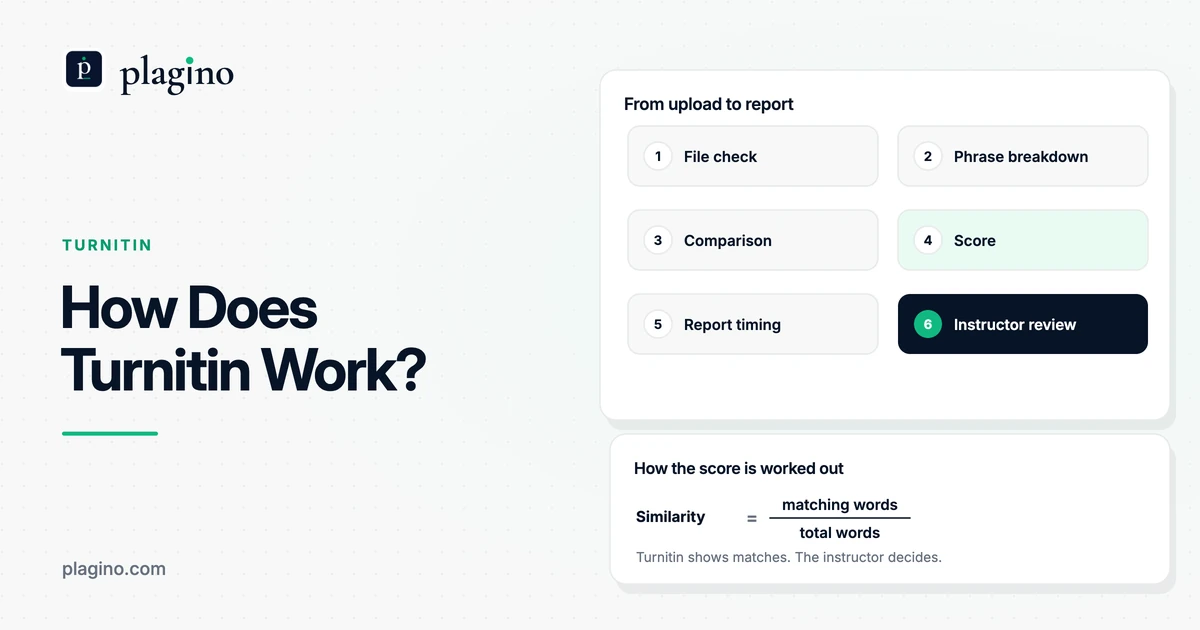
A match is a run of at least eight consecutive words that appears in both your paper and a source. Capital letters and punctuation are ignored, so a sentence copied with different commas still matches, while short common phrases do not, because eight words in a row rarely line up by chance in academic writing.
Overlapping runs are joined, so a copied paragraph shows up as one continuous highlighted passage rather than a scatter of fragments. Your plagiarism score is the share of your checked words that fall inside a confirmed match. The source list names each matched work with its title, authors, year, journal or publisher, a DOI or link where CORE provides one, and its type: journal article, book, thesis or repository paper. Sources are ordered by how many of your words they match.
Quotations still match, and that is fine
Plagino does not remove quoted text before matching. A correctly quoted and cited passage of eight words or more appears as a match, because the words really are the same. Check each match against your citations: a cited quotation is legitimate, an uncited one needs fixing.
Turnitin counts quoted text too unless an instructor turns on its Exclude Quotes filter, which is one reason a percentage alone does not show whether a paper is honest. Our guide to the Turnitin similarity score explains how to read one.
Parts of your document that are skipped
Plagino checks the body of your paper. It skips the reference list or bibliography, tables, captions, headings, list items, very short paragraphs and paragraphs that are mostly citations, so your bibliography does not inflate the score.
Which plagiarism slips will the check catch, and which will it miss?
Plagino catches verbatim copying from open-access academic papers on your topic and reuse of your own earlier scans. It misses text copied from websites, paywalled sources, close paraphrase and translation. This table maps common student slips to what the check can and cannot see.
Why paraphrase and translation slip through
Text-matching software finds shared passages; it does not detect plagiarism on its own. The Wikipedia article on plagiarism detection notes that string matching is accurate for copy-and-paste cases but misses reworded passages, and that cross-language detection is not yet a mature technology. A paraphrase that follows a source's structure without credit is still plagiarism, so a low score is never permission to skip a citation.
| The slip | Example | Caught by Plagino? | Why |
|---|---|---|---|
| Copying from an open-access journal article without quotation marks | A sentence pasted from a paper during note-taking | Yes | Verbatim runs of 8+ words are matched against the paper's full text |
| Reusing your own earlier essay | Pasting a paragraph from a draft you scanned last term | Yes, if that earlier draft was scanned on your account | Your own earlier scans are part of the comparison |
| Quoting correctly with a citation | A cited quote in quotation marks | Shown as a match | Expected; a cited quote is not plagiarism |
| Copying from Wikipedia, a blog or a news site | Background paragraph from a web page | No | The open web is not searched |
| Copying from a paywalled journal or textbook | A passage from a subscription-only article | No | Only open-access papers are compared |
| Close paraphrase | Swapping words sentence by sentence so no 8-word run survives | No | Matching is verbatim |
| Translating a source | Translating a paper written in another language | No | Cross-language matching is not done |
| Copying another student's paper | A friend's essay from last year | No | Other users' papers are never compared |
So a clean result means no long verbatim matches were found in the open-access papers Plagino compared. It is a strong test against the open academic literature in your field, not a complete one.
How is it different from Turnitin and other student plagiarism checkers?
Each checker searches a different pool of sources, and the pool decides what it can find. Turnitin compares submissions with web content, publications and its private repository of student papers, which no public tool can search. Plagino searches open-access research via CORE and your own uploads, so its percentage will not predict a Turnitin score.
That makes Plagino a tool for finding and fixing uncited academic passages before you submit, not for guessing your university's number. If you also need a web check, our best plagiarism checker for students guide compares the free and paid options side by side, and our Turnitin alternatives guide explains what each tool can and cannot see. For a step-by-step pre-submission routine, read how to check your paper before Turnitin.
Every Plagino scan also runs an AI-writing check, shown as cyan highlights next to the amber plagiarism matches. The two signals are independent: a passage can be one, both or neither. Read more on the AI detector page or the AI and plagiarism checker page.
Is it safe to upload your paper to a free plagiarism checker?
With Plagino, your document and report stay in your own account until you delete the scan, and uploaded documents are not used to train AI models. Only the short extracts needed for matching are sent to CORE, and your paper is never compared with or shown to other users.
That is worth checking with any free tool before you upload a thesis: ask what happens to your text after the scan, and whether it joins a database other people's papers are checked against. Plagino is built and run by Research Crave, an academic-services business in Birmingham, England, running since 2018. Its reports state on their face that the scores are review evidence, not a sole determination of plagiarism. Teachers and writing centres can read about AI detection for teachers, and departments can email hello@plagino.com about the Team plan.
Frequently asked questions
Is Plagino's plagiarism checker really free for students?
Yes. The Free plan gives 3 scans a month with no card, and each scan includes both the plagiarism check and the AI-writing check. Pro costs $19 a month for 20 scans a day if you need more.
Is there a word limit on the free plan?
Plagino limits uploads by file, not by a published word count: each scan takes one .docx file up to 10 MB. A full thesis is still easier to read and fix chapter by chapter, so most students split it.
Can I check my thesis or dissertation for free?
Yes, within the Free plan's 3 scans a month. Spend them on the chapters that summarise the most published work, usually the literature review, methodology and discussion, and use Pro if you need to rescan many chapters quickly.
Does Plagino check against Turnitin's database?
No. Turnitin's repository of student papers is private, and no public checker can search it. Plagino compares your paper with open-access academic papers indexed by CORE and with your own earlier scans.
Will Plagino give the same score as Turnitin?
No. Turnitin checks sources Plagino cannot, including the open web and its private repository of student papers. Use Plagino's report to find and fix uncited passages, not to predict a Turnitin percentage.
What plagiarism percentage is acceptable for students?
There is no universal acceptable percentage; your school or instructor decides how to read a score. Plagino's percentage is the share of your checked words inside verified matches, and a cited quotation counts as a match, so read each highlighted passage rather than the number alone.
Does Plagino detect paraphrasing?
No. It reports runs of eight or more identical words, so reworded text is not flagged. Paraphrasing a source without citing it is still plagiarism, so cite every idea you take from a source.
Can I paste text or upload a PDF instead of a Word file?
No. Plagino only accepts Word documents in .docx format. Export your draft from Word, Google Docs or Pages as .docx before you upload it.
How long does a plagiarism scan take?
A scan usually finishes within a couple of minutes. You then get a plagiarism score, an AI score and a PDF report with every flagged passage marked.
Why does my quoted passage show up as a match?
Plagino does not remove quotations before matching, so a quote of eight words or more appears as a match. That is expected. If the quote is in quotation marks and cited, it is not plagiarism.
Does Plagino store my paper or share it with other students?
Your document and report stay in your own account until you delete the scan. Plagino keeps irreversible fingerprints so later scans on your account can be checked against earlier ones, but your paper is never compared with other users' papers and is not used to train AI models.
Why did my rescanned draft get a higher score?
A rescan overlaps with the version you scanned before, because your own earlier scans are part of the comparison. The headline percentage is the higher of the academic-source figure and the own-scan figure, so look at the academic figure to see what still needs fixing.
Can teachers use Plagino to check student papers?
Yes. Teachers download a student's submission as .docx and upload it, because Plagino does not plug into Canvas, Moodle, Blackboard or Google Classroom. Departments and writing centres can ask about the Team plan for shared accounts and scan history.